
How is Gaming on Linux?
Gaming on Linux has drastically improved over the years with software like Wine and Proton, but this doesn't mean that Gaming on Linux is perfect. Games with kernel-level anticheat generally aren't supported under Linux, and not all game developers want to support Linux either.
If you want to find out how well your games will work under Linux, there are many ways to do so!
ProtonDB is a great place to check how well your games will run under Linux, with a grading system for different devices, such as Steam Decks, and even Chromebooks.
Steam also has an official library test for your games steam deck compatibility, just sign in and go here:
https://store.steampowered.com/steamdeck/mygames
Common Games, and their compatibility
Minecraft
Minecraft (Java Edition) is well supported under Linux, with access to nearly all of the launchers you would expect (such as Lunar Client, Prism Launcher, etc).
Minecraft Bedrock Edition is not officially supported, and is stated to be 'incompatible' in the official Minecraft launcher, however you can still play Bedrock Edition unofficially with the 'Minecraft Bedrock Launcher', which is installable through Flathub, or most package managers. This project is open source, and while uses the Mobile version as it's base, it still has all the features you would expect from the Desktop version, including Vibrant Visuals. Unfortunately, this means you need to own Minecraft on Google Play to be able to access it
Roblox
Roblox is not officially supported under Linux, however you have two options, one of which works great. Roblox Studio should work as expected under Wine, or through the app 'Vinegar', available on Flathub.
Option 1 (Recommended): SoberSober is the best way to play Roblox on Linux. While things like signing in can be a little harder in some cases when compared to windows, performance is comparable, if not better than Windows in some cases. It has great support for hardware, and lots of configuration. Sober creates a runtime for Roblox's code, ensuring compatibility on nearly any device. Sober is unfortunately closed source, but this may change in the future. It is easily installable through Flathub.
Option 2: Run under WaydroidIf you have issues with Sober being closed source, you can always install Waydroid (an Android emulator for Wayland), and install Roblox from the Google play store, or via APK/alternative software source. Waydroid is known to have problems on some hardware configurations, and Roblox itself may have problems with things like input, as it's meant for Mobile devices.
Valve Games
Valve games, such as Counter Strike, TF2, Half Life and others are well supported (Native) under Linux.
Some users report performance issues with some Valve games, such as Counter Strike 2, where the performance isn't on par with Windows. Always have a look at ProtonDB if you are experiencing issues with these games, and report issues if you have them. Valve is known to care about Linux users, so issues you have are likely to be considered.
Anti-Cheat Games
While many anti-cheat games will work under Linux, unfortuately many popular games with kernel-level anticheat have blacklisted Linux support, meaning they wont work. Not all game developers want to support Linux, as it can be a hassle to get guaranteed compatibility, but in most cases, the anti-cheat solutions they implement dont work under Linux.
While there are ways to get around these sometimes, its not recommended, and could get you banned from the game. Dualbooting windows is a great option if you want to play these games.
Some popular anti-cheat games that have blacklisted Linux support include: Fortnite, Rainbow 6 Siege, PUBG, Valorant, Destiny 2, Newer Battlefield Games, and Apex Legends (recently).
However, just because a game has anticheat doesnt nessicarily mean it doesnt support Linux. Some developers allow the anticheat to work under Linux, such as the developers behind The Finals. If you would like to check if an anticheat game is supported, please check:
https://areweanticheatyet.com/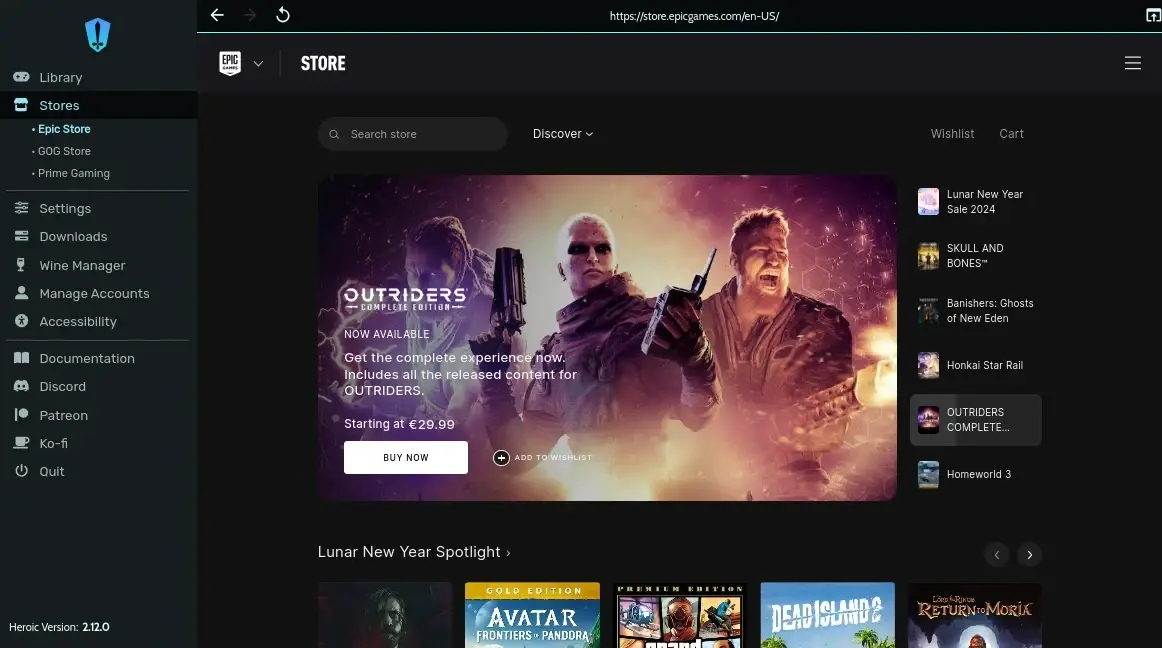
Game Launcher Compatibility
Most game launchers are compatible with Linux, but there are some that aren't. Here is a quick list of game launchers, and their Linux support status.
- Steam (Native Linux Version) ✅
- Itch.io (Linux, and even most Windows only games work under Wine). ✅
- Epic Games (Works under Wine, can also use Heroic Launcher) ☑️
- GOG (Works under Wine, can also use Heroic Launcher) ☑️
- Prime Gaming (Works under Wine, can also use Heroic Launcher) ☑️
- Ubisoft Connect (Works under Wine) ✔️
- Rockstar Games Launcher (Works under Wine) ✔️
- Battle.net (Works under Wine) ✔️
- EA App (Works under Wine) ✔️
- Xbox/Gampass (Not supported) 🚫